← thatsoundshot.com

Producer Tools Desktop for Mac

The cheat sheet that lives in your menu bar.

Camelot keys, delay times and note frequencies, one keystroke from your DAW. Press ⌘1, find the number, get back to the track. Free, with no account and no trial clock.

On the Mac App Store. Requires macOS 14 or later. Pro is optional.

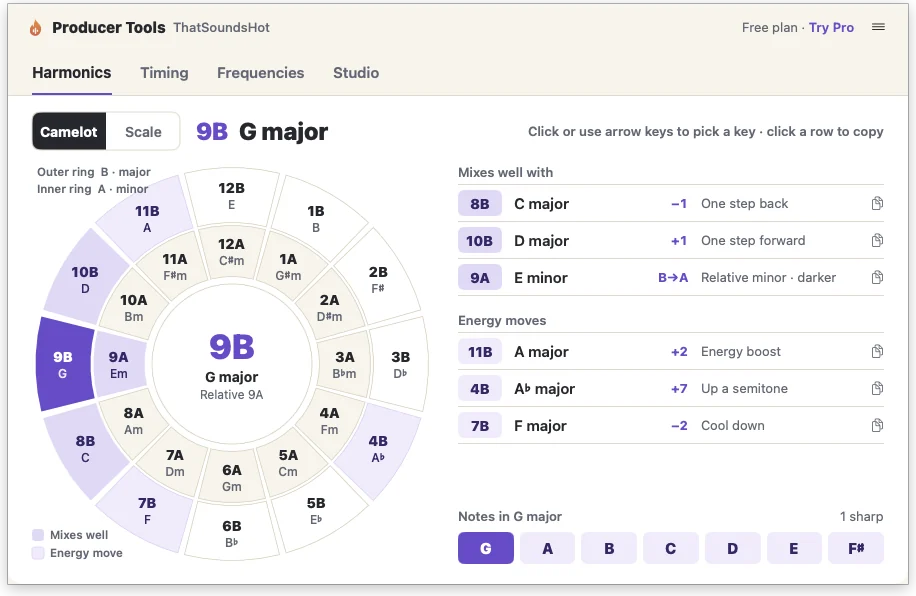
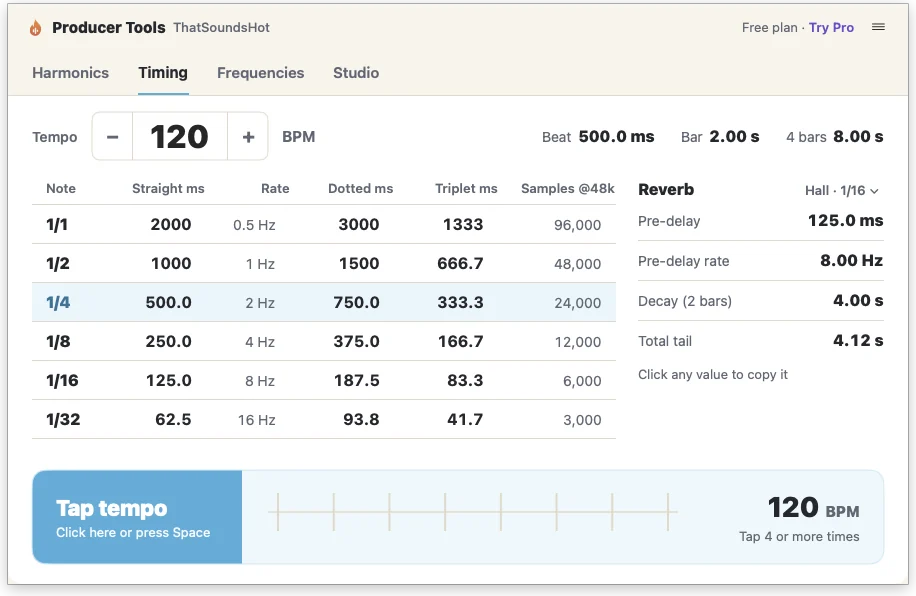
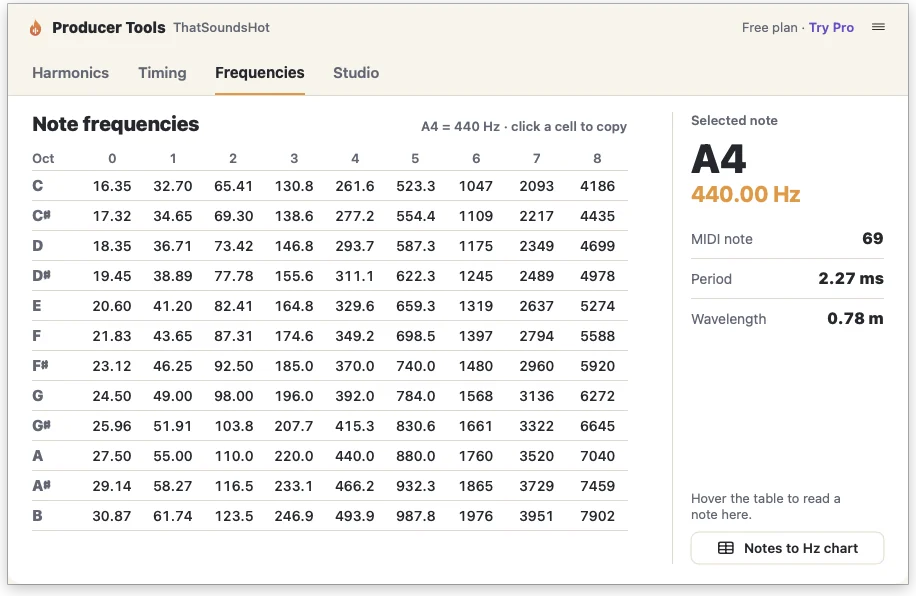
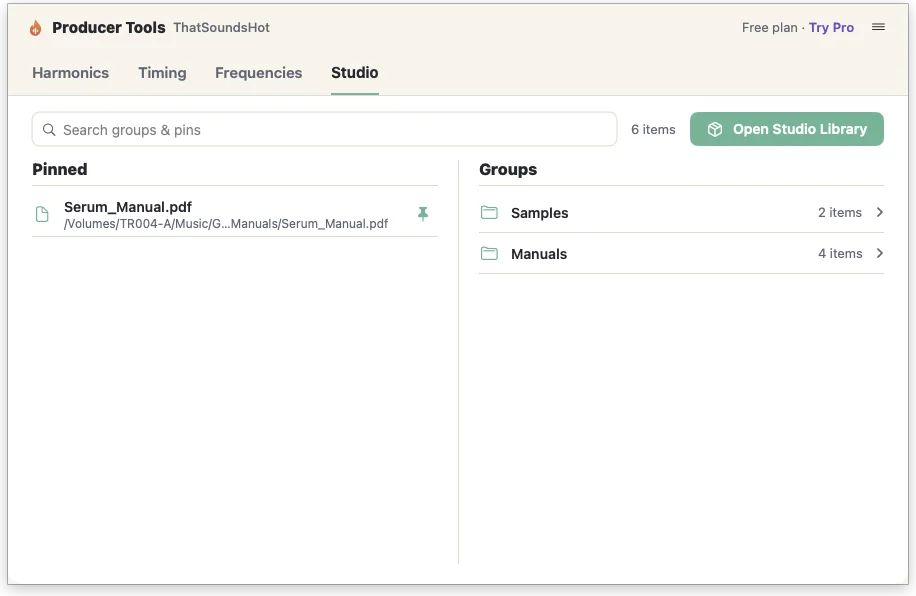
Quick Reference Harmonics tab: the Camelot wheel set to 9B G major, with the keys that mix well and the energy moves beside it. Quick Reference Timing tab: note lengths in milliseconds at 120 BPM, reverb pre-delay and decay, and a tap tempo bar. Quick Reference Frequencies tab: every note to hertz across nine octaves, with A4 selected at 440 hertz. Quick Reference Studio tab: pinned manuals and sample folders from the Studio Library, with search.

Try it here

Two things the menu bar answers every session.

These work in your browser right now. In the app they sit one keystroke away while your DAW stays open.

What mixes with my key?

Click a segment. Outer ring is major (B), inner ring is minor (A).

9B
G major

Mixes well with

    Energy moves

      How long is a dotted eighth?

      Set your tempo, or tap it. Click any value to copy it into a delay or reverb.

      BPM
      NoteStraight msDotted msTriplet ms

      The app adds note to hertz for every octave, reverb pre-delay and decay, samples at 48k, and your pinned folders, all in the same panel.

      Interactive Reference · always free

      The full theory desk, inside the app.

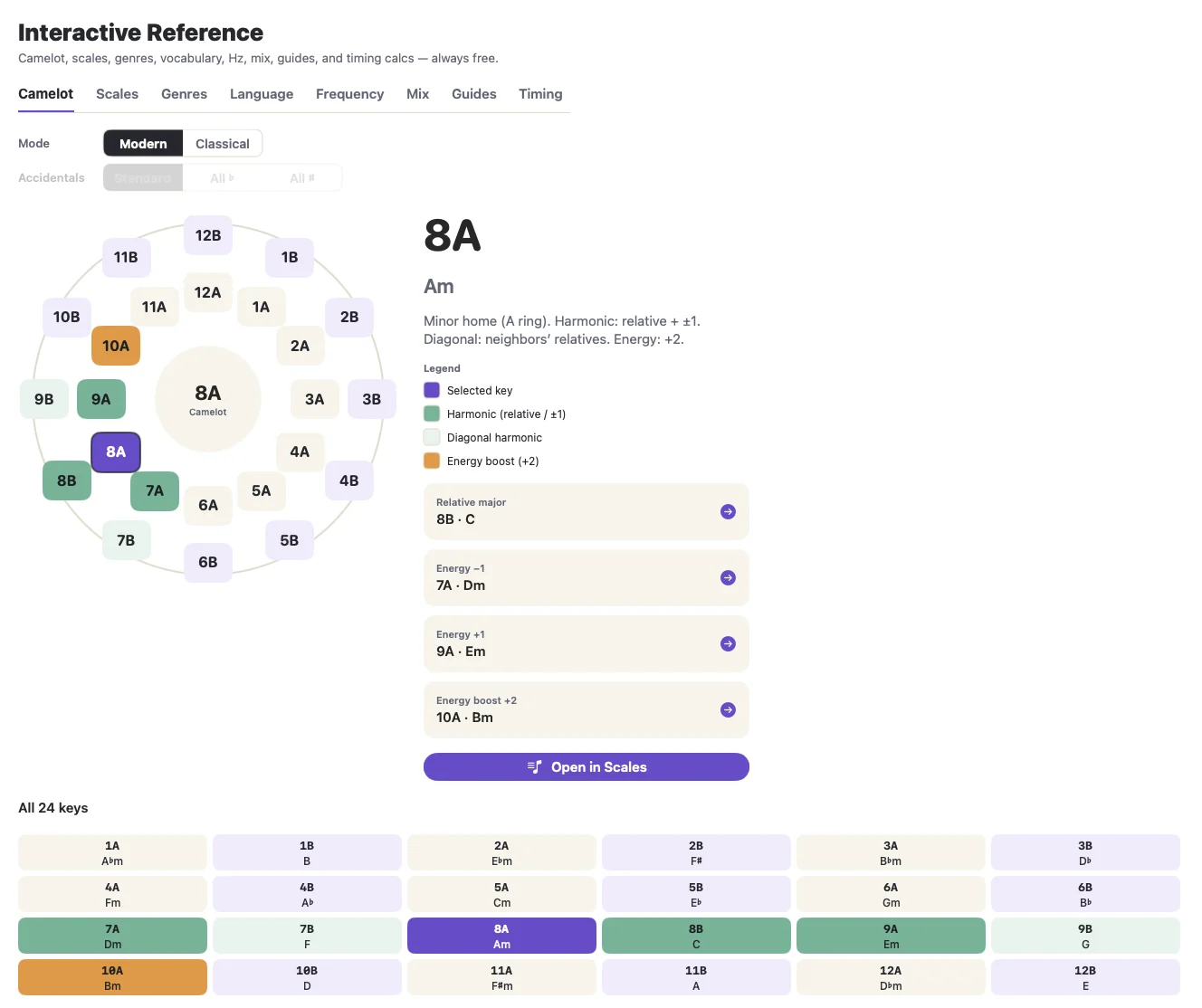
      When the menu bar panel is not enough, open Reference in the sidebar. Pick a key and the wheel lights up its harmonic neighbours, its diagonal matches and its energy boost, with all 24 keys laid out underneath.

      • Camelot, in modern or classical naming
      • Scales and modes with their chords by degree
      • Genre playbooks and mix guides
      • Frequency and timing calculators

      It is not part of Pro and it does not expire.

      The Interactive Reference in Producer Tools: a Camelot wheel with 8A A minor selected, harmonic and energy-boost keys highlighted, and a table of all 24 keys below.
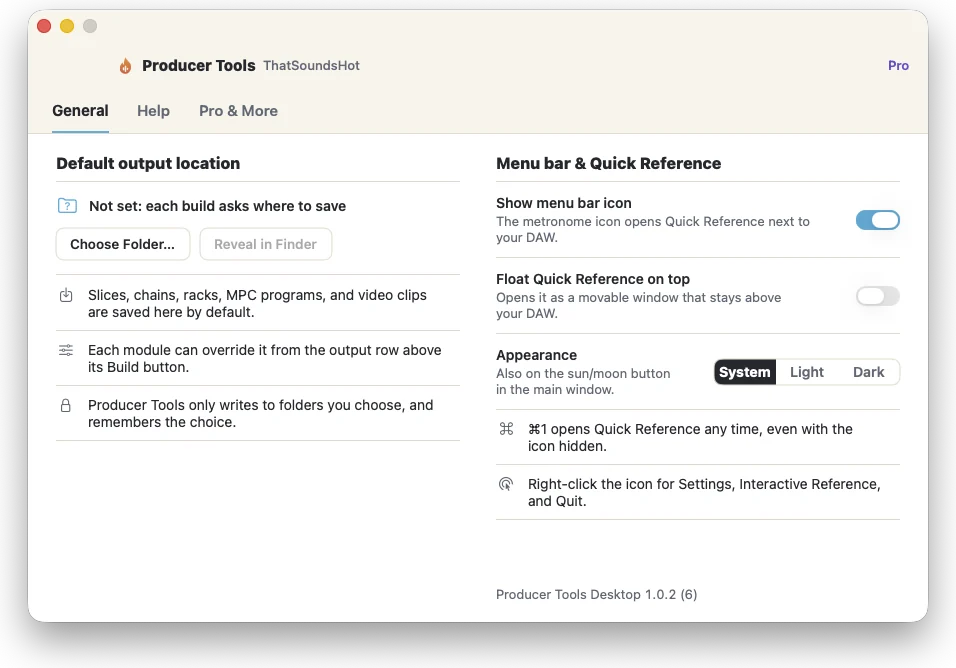
      Producer Tools settings: show menu bar icon, float Quick Reference on top, and System, Light or Dark appearance.

      Stays out of the way until you want it.

      ⌘1 opens Quick Reference from anywhere, even with the menu bar icon hidden. Float it on top and it hovers above your DAW while you set delay times. Light, dark or follow the system.

      Ableton Drum Rack · MPC Drum Program

      Folder in. Rack on a track.

      Stop dragging samples onto pads one at a time. Drop a folder and export a drum rack for Ableton or a drum program for MPC, with the samples packed alongside. Three of each are free.

      Your sample folder

      Kick-23TH Kik G.wav
      Kick-21TH Kik G.wav
      Snare-TH Snare 01.wav
      Snare-Magic Snr1.wav
      Hat-TH Hat 03.wav
      Shaker-TH Shak 18.wav
      Bass-TH Bass Gb.wav
      and 9 more

      Pads fill themselves

      Ready to load

      For Ableton Live

      Drum Kit.adg
      Samples

      For Akai MPC

      MyDrumProgram.xpm
      MyDrumProgram_[ProgramData]
      The exported drum rack loaded on a track in Ableton Live: sixteen pads filled with kicks, snares, hats and bass hits.
      The exported rack, dragged onto a track in Ableton. Sixteen pads, no manual placement.

      What's in Producer Tools

      Eight modules, one job each.

      Colour coded the same way as the app sidebar.

      01

      Reference

      Camelot wheel, full scale set, note to hertz, mix playbooks and genre scale guides.

      Free

      02

      Studio Library

      Pin sample folders, manuals and web links next to your tools. Pins survive relaunch.

      Free: 2 groups, 12 pins

      03

      Ableton Drum Rack

      Drop samples on a 4 by 32 pad grid and export an .adg with a portable samples folder.

      3 free

      04

      MPC Drum Program

      Load pads in banks A to H, preview each one, and export an .xpm program with its WAVs.

      3 free

      05

      Chain Maker

      One WAV of many samples, ready to auto-slice on MPC, Digitakt, Octatrack or Maschine.

      Pro

      06

      Audio Chopper

      Chop tempo-warped audio into numbered bar-length chunks, sorted by size.

      Pro

      07

      Micro Audio Chopper

      Cut a short chunk into bar fractions or transient slices: hits, micro-loops and one-shots.

      Pro

      08

      Video Slicer

      Slice a music video into per-section clips at exact bar boundaries, for Reels and Shorts.

      Pro

      Free and Pro

      Most of it is free. Here is exactly what.

      So nothing is a surprise on your fourth drum rack.

      FreeNo account, no card, no trial clock
      • Quick Reference in the menu bar: harmonics, timing, frequencies, studio
      • Interactive Reference and the classic chart posters
      • 3 Ableton Drum Rack exports and 3 MPC Drum Program exports, for life
      • Studio Library with 2 groups and 12 pins
      Pro$2.99 a month or $29.99 a year. 7 day free trial for new subscribers.
      • Unlimited drum racks and MPC programs
      • Chain Maker, Audio Chopper, Micro Audio Chopper and Video Slicer
      • Studio Library with 50 groups and 500 pins

      Only a successful export counts toward the free three. Cancel Pro anytime in System Settings.

      Now go make something.

      Install it free, press ⌘1, and keep the theory next to the track instead of in another browser tab.

      Requires macOS 14 or later.